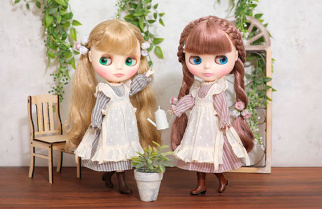





download


Why not download Blythe wallpaper onto your PC?
That way, you can see Blythe every time you use your PC!!


Wallpaper featuring 2010 calendar (June 2010 to Aug. 2010)
1280*1024
1024*768
1280*1024
1024*768
1280*1024
1024*768
1280*1024
1024*768

Choose either size in accordance with the monitor's resolution of your computer.
A new window will pop up and show an image.

[Windows Users]
* Place your mouse over the image.
* Click on the right mouse button.
* A menu window will pop up.
* Scroll down and highlight the option Set As Wallpaper and then use the left mouse button to click on it.
* The wallpaper is now installed on your desktop.

[Mac Users]
* Place your mouse over the image.
* Hold down the mouse button until the small menu appears.
* Choose Save image as which will save the image to your hard drive.
* Open the control panel Desktop Pictures.
* Click Remove picture and then click Select picture.
* Next load the new wallpaper from where you saved the image on your computer.
* The last step is to choose Position automatically for the wallpaper.

[Note]
* The wallpaper you use will be replaced.
* Please make sure to remember the name of the file of your previous wallpaper and where you saved it, in case you want to get it back.
* The way to set up may differ depending on the version of operating software you use.